
MY GEAR: On a year with the Pebble
I can’t remember precisely when I received my Pebble last year, but my recollection is that it arrived around July. The watch and I have been mostly inseparable ever since, despite my ownership (and continued collection) of several more attractive analogue watches. The most habit-forming feature of the Kickstarted smartwatch has to be the notifications, but with a couple of third-party apps this gadget becomes a vital piece of everyday carry.
Aesthetics and the watch face

My Pebble running my custom watch face on Glance.
Nobody is going to stop, look at the Pebble and say “Wow, that’s a beautiful watch!”, but if you opt for one of the coloured versions its utilitarian looks can still be eye-catching – it’s started a lot of conversations and nobody insults it (except for when I made the ill-advised decision to pair a brown leather strap with the red one, but that was a failure of my taste, not of the watch). Go for the black one and it stands out less but is still very cool. The more expensive and more recently released Pebble Steel is prettier (and looks better with a leather strap), but these are simple, functional watches that turn heads more because of their still-novel functionality than their dashing good looks.
Pebble ships its watches with a few watch face options, but there are a multitude of third-party replacements available, either through the Pebble app itself or a site like My Pebble Faces. There are plenty of good-looking or interesting faces to be found (I love the Nyan Cat one, but the animations drain the battery), but I use and prefer Glance, which is a full-functioned replacement app for the watch face.
Glance has a number of built-in faces for your use, but I tweaked one of them in a few ways to get the one that you see pictured above. It’s a lightweight, elegant way to display the:
- Time;
- Date;
- Weather;
- Temperature; and
- Battery remaining on your phone
at, well, a glance. Having the temperature on there is great, actually – that’s another thing for which I habitually glance at my wrist no matter what I’m wearing on there now. If you want to use the same layout with your Glance setup, you can download the layout file here.
Here are my other favourite features of Glance:
- You can use it to pull up your calendar events for the next 7 days on your watch;
- You can read your most recent few texts without needing to delve into the notifications;
- You can set up and send canned responses to texts (rather a lot of them, if you get the premium version);
- You can alter the app menu to include shortcuts other useful apps like Music Boss and Nav Me (to be covered in more detail in the next section);
- It has a “LostPhone” feature that will ring your phone – useful for finding your phone if it’s connected, or for faking a call during an awkward social interaction;
- It vibrates to tell you when the watch connects or disconnects from the phone.
It used to be that I used to tell everyone that the Pebble would be everything I wanted from a smartwatch if it had voice commands and navigation support. Now the only thing missing is voice commands and they’re hardly essential.
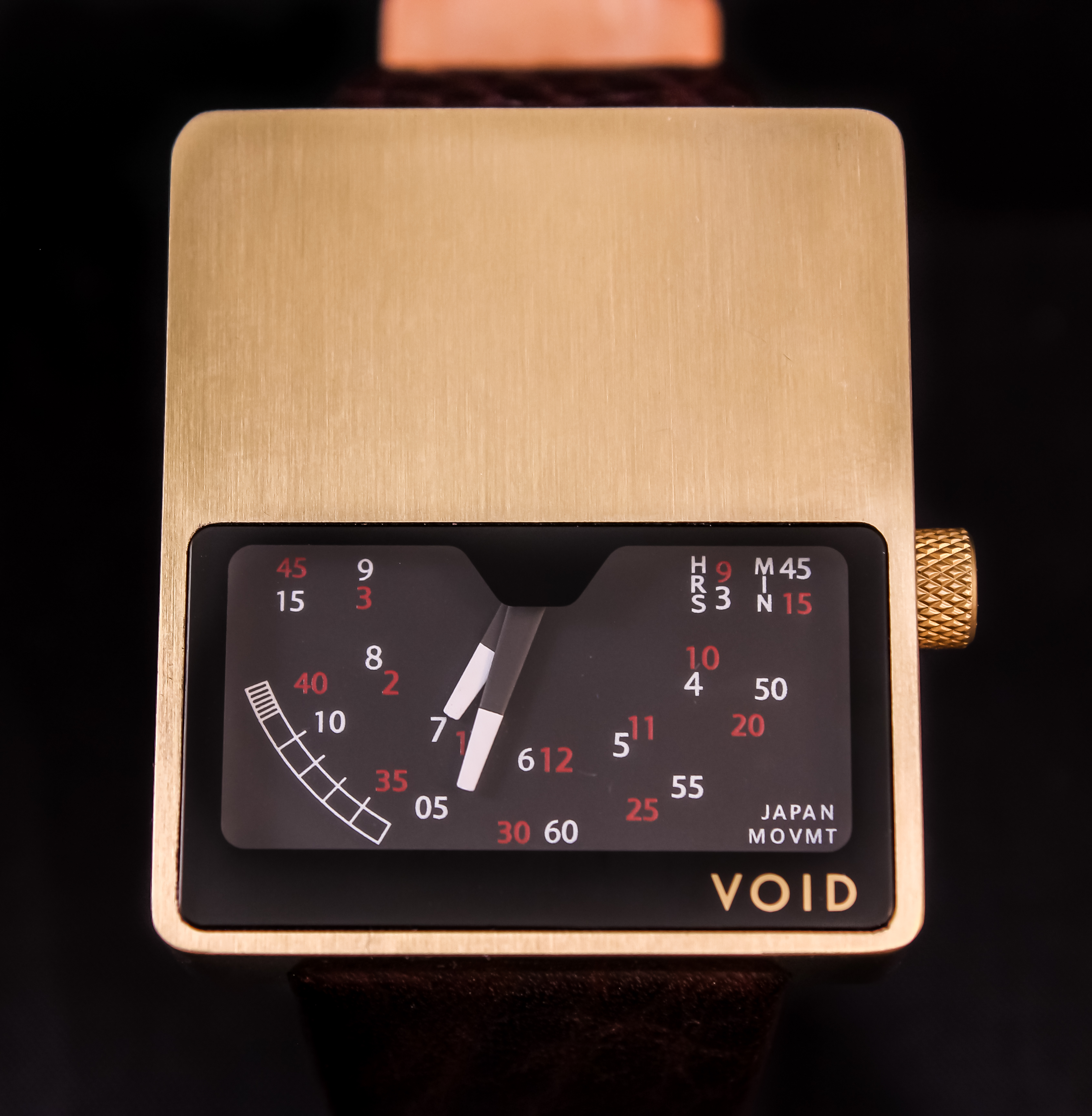
The Pebble sure isn’t as pretty as my Void V02, but it’s a hell of a lot more readable.
Notifications
From about three days after getting the watch and hooking it up to my Nexus 4 via Bluetooth LE/Smart/4.0/whatever they’re calling it these days, I’ve become hooked on having my phone’s notifications coming to my wrist. Sure, you can’t really act on them from the watch except insofar as they provide you with information, but knowing what’s making your phone buzz in your pocket turns out to be pretty valuable. Whatever I’m doing, if I feel my phone vibrate (unlikely – its vibrate is pitiful) or hear it ping, it’s way simpler just to glance at my wrist than to reach for my phone.
As I alluded to before, it’s also pretty habit forming: if I’m wearing a ‘dumb’ watch and my phone goes off, I look at my wrist, learn nothing and get frustrated. This may be less of an issue for those of you with iPhones that you leave on the desk in front of you since the screen will turn on when something comes in, but this is useful for everyone when you’re otherwise occupied or on your way somewhere.
While the Pebble system’s built-in notifications are pretty limited, only handling emails, texts, phone calls and a couple of chat apps (WhatsApp, Google Hangouts and Facebook Messenger), but Pebble’s app ecosystem allows you to expand that to pretty much everything. The built-in WhatsApp notifications are trash, by the way, but I’m not that big a fan of WhatsApp itself; I’ll probably go further in depth on that some point.
I already used Light Flow for the much more low-fi notification tech that is the multi-coloured LED on the front of my phone, so the addition of Pebble notifications into that app made it the natural choice for me. Before I realised that this was a possibility, I used Pebble Notifier for the purpose; it did an admirable job.
Other essential apps
There are two other key facilities that make the Pebble special for me above and beyond the utility of a normal watch. Those two are, as I alluded to above Music Boss and Nav Me.
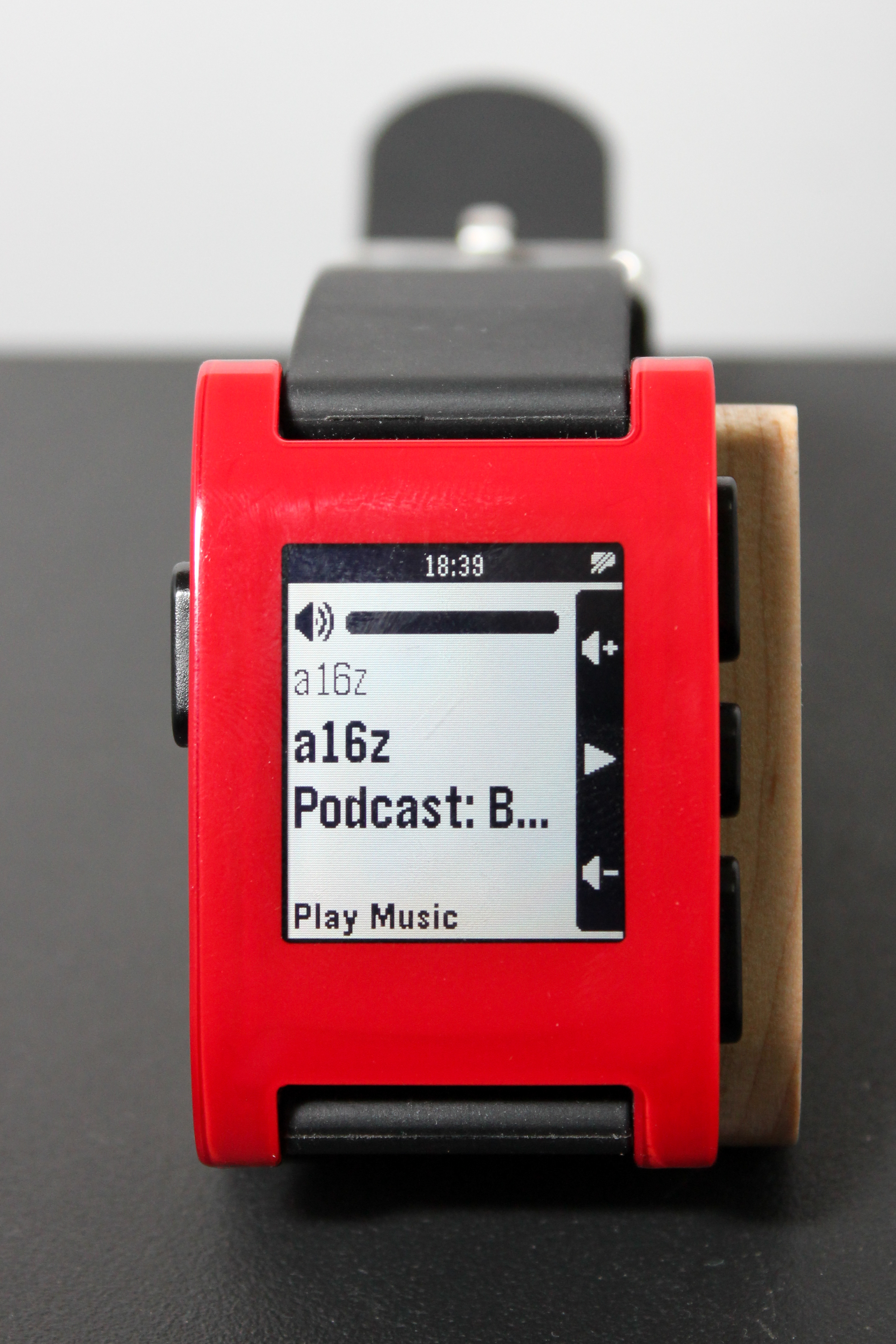
My Pebble running Music Boss. You can even multi-press the middle button to choose which media app to launch/control.
Music Boss allows users to control the media playing on the device connected to their Pebble, no matter whether it’s music or not; as long as the media has some kind of sound and uses Android’s rich notifications, this app will let you play, pause, change the volume and (via long pressing the volume buttons) skip/rewind media. Its key advantage over the Pebble’s system music app is the ability to change the volume, since keeping the volume constant by always having to reach for the phone can be a pain.
Before I installed Nav Me, my synopsis of the Pebble to anyone who asked would be, “If it had voice controls and could do navigation, it would be perfect.” Now the only thing missing is voice controls, but since I plan on getting the new Moto X when it comes out next month I’ll stick with the Pebble’s superior battery life and use the Moto X’s touchless controls, rather than buying an Android Wear watch.
Nav Me does a great job of using the Pebble’s limited screen real estate to convey Google’s navigation directions for walking and driving (although I’ve only used it for walking). It is particularly useful for navigating the city without burying one’s nose in the phone’s screen, plus it vibrates at each change of information so that you know when to look at it.
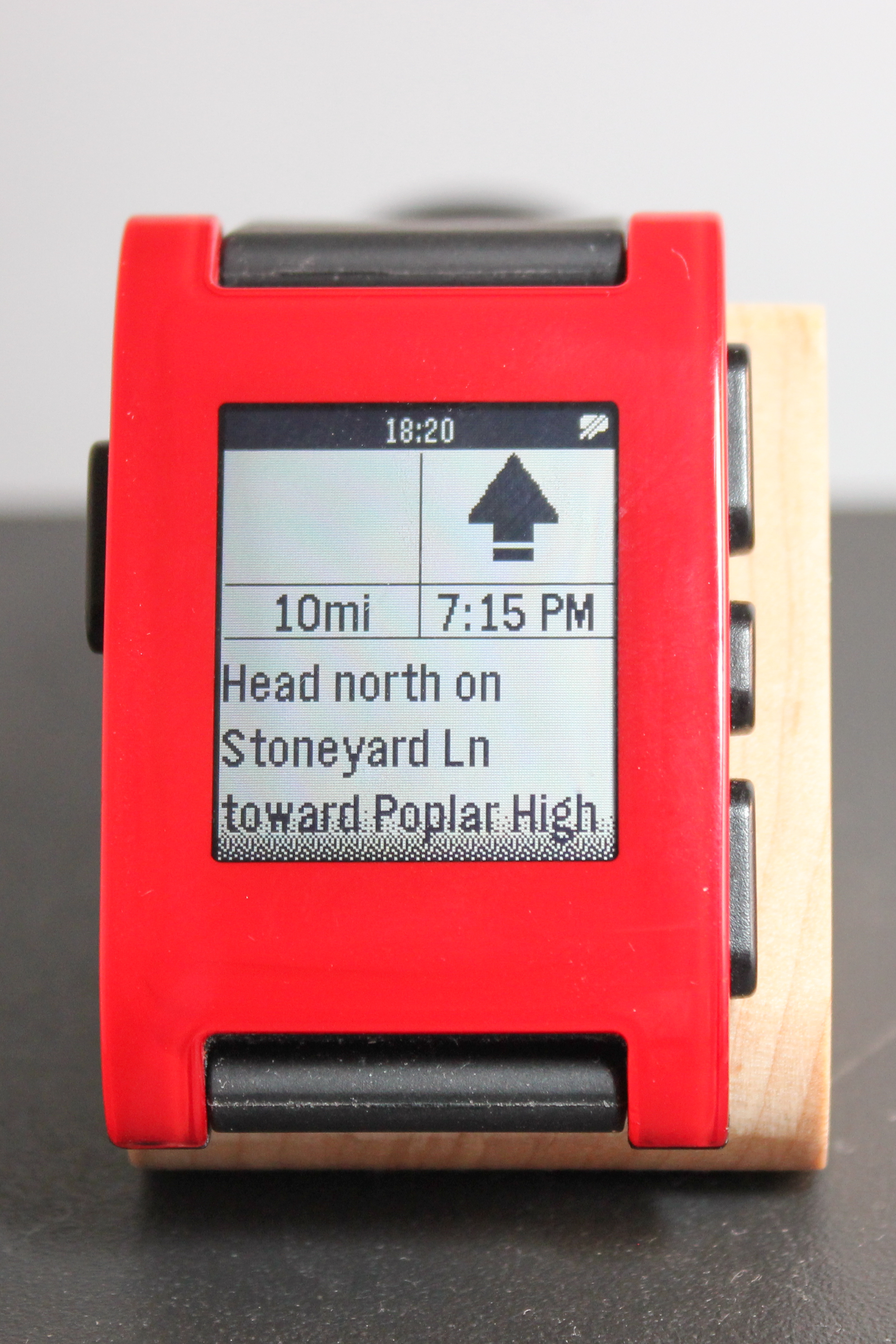
Nav Me on the Pebble. It shows the instruction, direction of travel, distance to the destination and an estimated time of arrival.
Miscellany
The Pebble team beat a lot of the tech giants to waterproofing their tech (even if a watch does stand more of a chance of getting wet than does a phone in most people’s hands), which in this case necessitated using a magnetic charging solution. It works well, although woe betide you if you live outside of the US and end up needing a replacement charging cable, since they’re proprietary, not cheap and available only from Pebble directly (as far as I know).

The charging cable, loaded into a third-party “Sidekick” dock (bought on Kickstarter).
Charging with the magnets works well though, and the Pebble not only charges quickly but also holds that charge for five or more days of use (more like 3 if you’re running Nyan Cat all the time).
The Pebble’s popularity gave rise to a number of Kickstarter products designed to complement it. The one I bought was a dock/display stand called the Sidekick, on which you will see the Pebble mounted in most of my photos. It’s a nice little piece of wood, but seems not to have been made available outside of the (now closed) Kickstarter campaign.
Wrap-up
I have been extremely happy with my Pebble so far and it definitely numbers among the favourite tech products in my burgeoning collection. The small, young team behind the watch did a great job of pioneering the smartwatch space and I’m amazed at their having captured the public imagination with their idea and then followed through so well. Sales have been solid but unspectacular, but the Pebble has stood up fantastically against the weight of later entrants like Samsung, whose $12bn marketing budget far eclipses the money raised so far by Pebble, with by what most accounts is simply a better product.
It’s unclear how big the smartwatch space will be in the long term, and Android Wear seems to have gotten off to a relatively slow start so far, but the Pebble remains one of, if not the foremost examples in the segment. Kudos to the Pebble team and the third party developers who have extended the original watch’s usefulness with their apps, and I look forward to getting a lot more use out of my Pebble in the future.


 AlphaQuirky